Your keysstay on your device
A self-custody wallet for safe practice on the Sepolia testnet.
Testnet only. Test funds only.
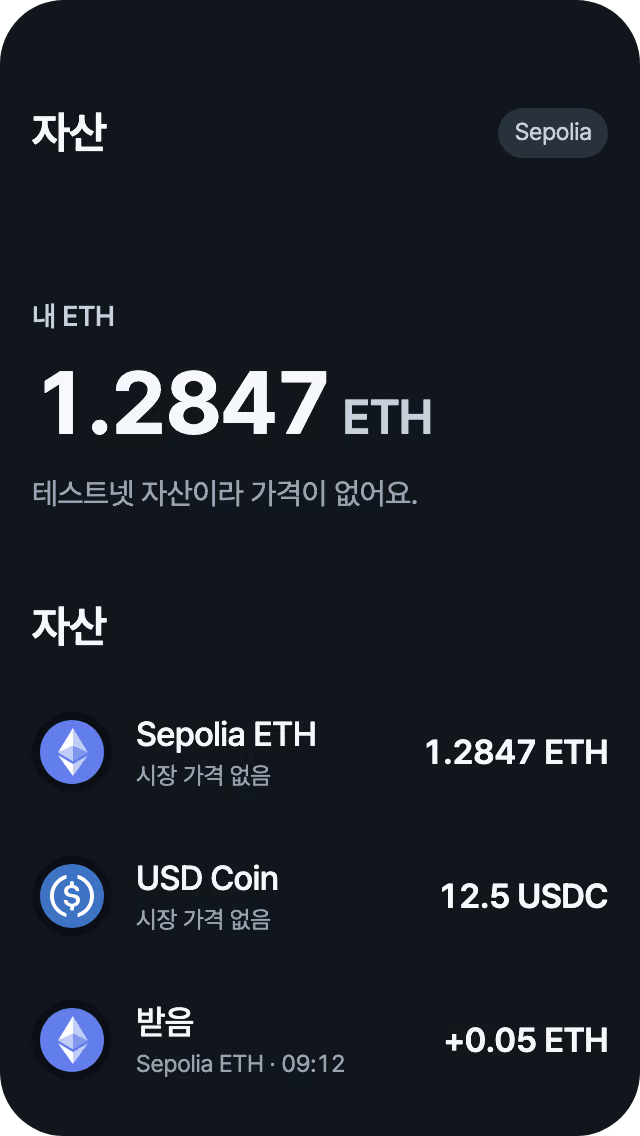
One app for your wallet and a viewer
Self-custody
Your keys stay on your device. The VaultMe server has no keys and no recovery phrase.
Send and receive
Send and receive Sepolia ETH and USDC. Before you send, we show the recipient address and the fee.
Web viewer
Enter an address to see its balances and history. Read-only, with no sign-in.
How to start
Install the app
Get VaultMe from the App Store or Google Play.
Create a wallet
Write down your recovery phrase. VaultMe cannot recover it for you.
Get test funds
Use your receive address to get test ETH from a Sepolia faucet.
How we handle security
Frequently asked questions
Does VaultMe hold my keys?
No. Your recovery phrase and keys stay on your device. VaultMe cannot recover them for you.
Can I deposit real money?
No. VaultMe is for the Sepolia testnet only. Testnet assets have no real value, so do not deposit real funds.
Can I send from the web?
No. The web is read-only. It creates no keys and signs nothing, so you can send only in the app.
Does it support ENS names?
Not yet. Enter an address that starts with 0x.
Start by checking an address
No sign-in, no keys. Enter an address to see its balances and history.